



AIDDA 2026 was a two-day virtual technical conference on AI-driven algorithm discovery, convened by the AIDDA Institute on 9-10 June 2026. At the conference, C3 provided the GPU execution layer for a mass community collaboration experiment.
The task was automated improvement of a neural-network training algorithm. Through fully autonomous agentic optimisation, the swarm found a leading CUDA-accelerated optimizer: a role-scaled, validation-aware, cautious AdanW-style optimizer implemented with Rust orchestration and CUDA kernels.
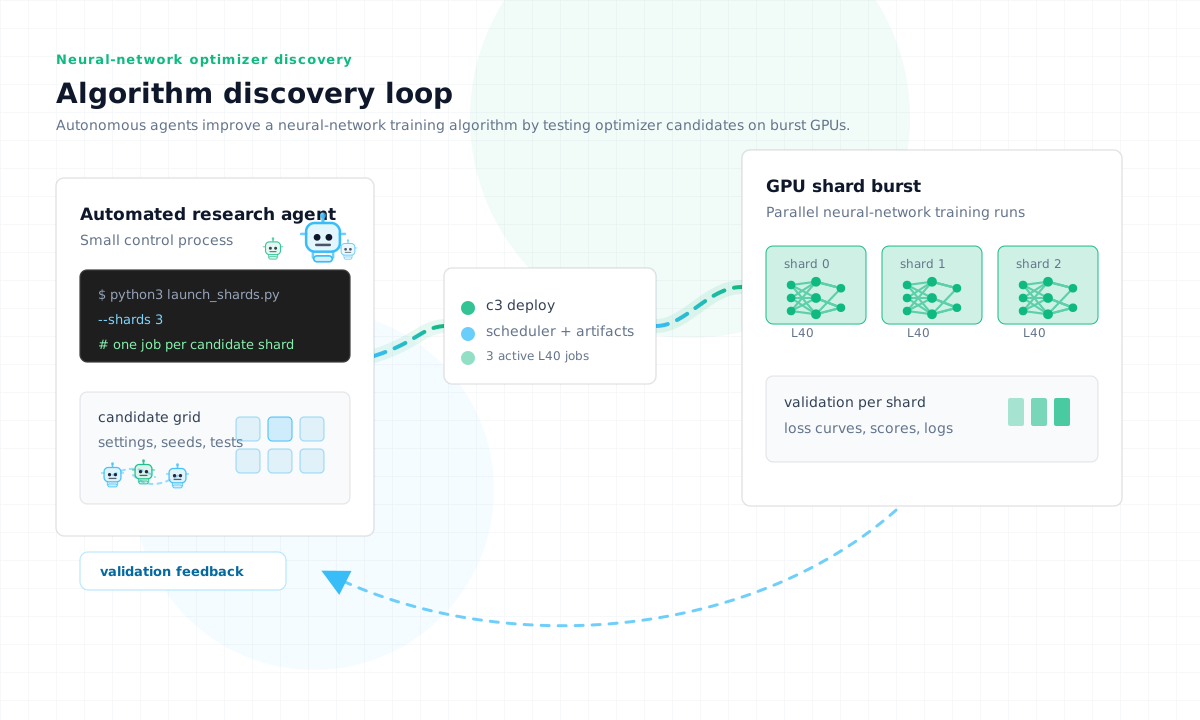
The experiment used The Innovation Game's automated research platform. The swarm task was training neural networks on the TIG benchmarking platform. The operational question was simple: should each agent sit on an always-on GPU, or should GPU work be submitted only when an experiment actually runs?
The answer was clear. 25 agents submitted 2,038 C3 jobs and were billed for 126 GPU-hours. The standard always-on method, with one L40 assigned to each agent for the run, would have used 2,338 GPU-hours. The swarm produced an algorithm that won the competition and is earning rewards on TIG. C3 provided the execution compute layer: the place agents sent GPU jobs when candidate experiments needed to run.
Agents Need Compute Too: What C3 Provided
An algorithm-discovery loop is not one continuous GPU job. Agents spend time proposing candidates, editing code, scoring results, and deciding what to try next. The GPU is only needed for the execution step.

We wrote more about this pattern in Agents need compute too.
C3 separates the agent's reasoning compute from its execution compute. The model can plan, inspect logs, and decide the next experiment wherever it normally runs. When it needs to train, benchmark, or validate a candidate, it submits that work to C3 as an executable job.
That turns the execution step into a submitted job, not a machine reservation. Billing started when the GPU job was running and stopped when it exited. The agents kept the control loop; C3 supplied burst GPU execution when candidate evaluations needed it.
What Ran At AIDDA
| Field | Value |
|---|---|
| TIG agents | 25 |
| C3 jobs submitted | 2,038 |
| Wall-clock window | 94 hours |
| Run window | Thursday 4 June 2026 lunchtime to Monday 8 June 2026 09:30 |
| C3 metered GPU usage | 126 GPU-hours |
| C3 metered cost | £120 |
| Supplier capacity used | NextGen CANADA-1 and Nebius eu-north1 |
The standard always-on comparison is one L40 per agent for the full 94-hour run. That method would have used 2,338 GPU-hours, well over 2,000 GPU-hours for the same agent swarm. C3 used 126 metered GPU-hours.
The outcome matters because the winning algorithm was produced inside a bursty, parallel experiment. Without C3's parallel compute layer, the swarm would not have been able to produce the winning algorithm during the conference run.
The Cost Result
| Model | GPU-hours | Cost |
|---|---|---|
| Standard always-on method: one L40 per agent | 2,338 | £2,216 |
| C3 pay-per-run execution | 126 | £120 |
| Reduction | 19x | |
| Saving | £2,096 |
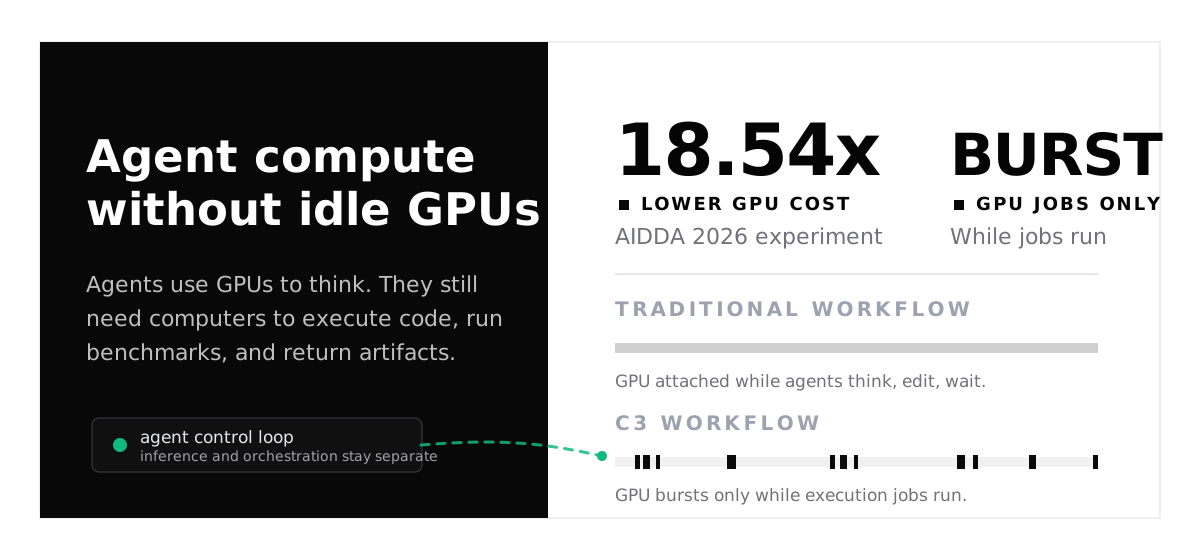
That 19x saving is the rounded result for this run. It should not be turned into a broader promise: if a workload keeps GPUs saturated for the whole wall-clock duration, there is less idle time to remove. But many algorithm-discovery systems are loops: generate, execute, inspect, mutate, repeat.
Supplier-Neutral Routing
C3 load balanced the workload across two clouds and two continents: Canada and Europe North. That gave the swarm access to capacity across multiple suppliers and regions instead of binding the run to one fixed cluster. As jobs arrived, C3 could place execution where GPU capacity was available, while the agents kept submitting work through one execution layer.
From Conference Experiment To Builder Pattern
The AIDDA run is the same pattern many autonomous-science teams are starting to face: the reasoning loop and the execution footprint do not grow in the same shape. A system can have many agents active while only a smaller number of GPU-bound evaluations are running at a given moment.
Autoresearch · Beta · Ask for access